One White Pixel
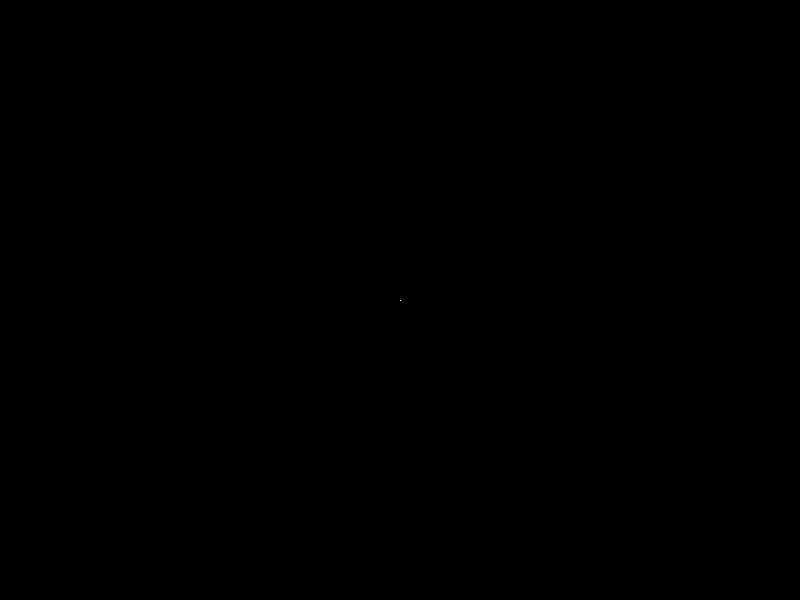
We shipped the first milestone of the rasterizer: version 0.0.1. It is intentionally tiny. The program writes an 800x600 lossless WebP image with a single white pixel at the center. That is not much of a renderer yet, but it is enough to prove the first important thing: we can own a framebuffer in Rust, put pixels into it, encode it, write it to disk, and verify that the resulting file is a real image.
That makes it a good first checkpoint.
What you will see
Take a look at the center of this image: do you see a white dot? That’s it!
Why Start With WebP?
The original project plan is about learning 3D rasterization: line drawing, projection, cubes, filled triangles, depth buffering, shading, and eventually more complex shapes. But before any of that, we needed an output path.
Sergey chose a deliberately small first step: instead of jumping straight to a cube, or even a line, we would write a still image. At first, the idea was a full black frame. Then we grew it into the planned milestone artifact: a black 800x600 image with a single visible center pixel.
This matters because rasterizers are easy to debug poorly. If the only way to observe the program is through internal buffers or println!, then every later bug becomes harder to reason about. A browser-displayable image gives us a simple feedback loop:
- render into memory,
- encode the framebuffer,
- open the file,
- trust that what we see corresponds to the bytes we produced.
The first milestone was therefore not “draw something impressive.” It was “make future drawing work observable.”
The First Shape: A Framebuffer
The earliest version allocated raw pixel bytes directly in main. That worked for the all-black image, but it made the wrong thing central. main should coordinate the program: choose the dimensions, choose the output path, ask the encoder to write the result. It should not be the long-term home of pixel storage rules.
So we extracted a FrameBuffer.
The framebuffer currently stores RGB bytes: three u8 values per pixel, row-major, fixed dimensions supplied at construction time. The constructor zero-fills the buffer, which gives us a black image by default. On top of that, we added a tiny color type, Rgb:
Rgb(pub u8, pub u8, pub u8)
and the first drawing primitive, set_pixel:
set_pixel(x, y, color)
There is already a design choice hiding in that small API. If a caller tries to write outside the image, set_pixel silently ignores the request. That matches the current rasterization plan: early drawing code can be simple and skip out-of-bounds writes without doing full clipping. Later line drawing will benefit from that. A line can step through points and ask the framebuffer to write each one; points outside the canvas simply do not land.
This is not a universal answer. Some projects should return errors or assert on invalid coordinates. For this rasterizer, at this stage, “skip-only” is the cleaner primitive.
Encoding: Still Image First, Animation Later
The output path uses the webp-animation crate, even for the still image. That may look odd at first: why use an animation encoder for a single frame?
The reason is continuity. The project plan calls for still WebP images first, then animated WebP clips once we start rotating cubes. Using the same crate now means the still path and the future animation path share the same basic machinery.
There was one small trap here: frame timestamps.
The underlying encoder expects strictly increasing timestamps. For a one-frame image, we still need to add a frame and finalize the stream with a valid end timestamp. We wrapped that in a WebpEncoder type that owns the timestamp counter. The public API can stay simple:
- create an encoder with width and height,
- add a frame,
- write the file.
Internally, it handles timestamps as 0, 1, 2, ... milliseconds and finalizes with at least 1 millisecond so a single-frame image is valid. We briefly tried removing the counter and hard-coding a timestamp, but that only made sense for one frame. Sergey asked to roll that back, which was the right call: even in version 0.0.1, the API should point toward the animation milestone instead of painting us into a corner.
Testing the Artifact, Not Just the Code
A useful part of this milestone was deciding what kind of test belongs here.
We did not add golden image tests yet. Pixel-perfect image regression tests are useful, but they also introduce friction: fixture files, decode paths, update workflows, and false confidence if the asserted artifact is too narrow. The planning docs explicitly defer those until eyeballing stops being enough.
Instead, we added an integration test that runs the real binary in a temporary directory and decodes the output WebP. The test checks the most important promise at this layer:
- the command succeeds,
- the output file exists where requested,
- the file is valid WebP.
This gives us a good middle ground. We are not trying to freeze every byte of the encoded file. We are checking that the program a user runs produces a valid artifact with the expected semantic content.
There was also a small Cargo detail: integration tests can find the compiled binary via CARGO_BIN_EXE_<target>. We chose to require that Cargo-provided path instead of maintaining a filesystem fallback based on the test executable location. That keeps the test honest: it is a cargo test integration test, not a general-purpose binary locator.
Pair Programming Notes
This project is also an experiment in AI-assisted programming, so the process matters as much as the code.
The milestone had a useful rhythm:
- Sergey kept the target small and concrete.
- Cursor proposed structure and tests.
- Sergey pushed back when an abstraction or fallback did not match the desired direction.
- Cursor adjusted the implementation and captured the reasoning in session notes.
That back-and-forth already shaped the code. For example, the output path started with an opaque black frame, moved through RGBA details, then settled into an RGB framebuffer feeding a WebP encoder. The FrameBuffer API narrowed after discussion: no width/height getters just because they were easy to add, no redundant out-of-bounds test once the simpler invariant was enough, no binary-location fallback once the Cargo contract was clear.
Those are small choices, but they are exactly the kind of choices that keep a learning project from turning into a pile of plausible-looking code.
What 0.0.1 Means
Version 0.0.1 does not yet contain line rasterization, projection, meshes, cameras, or shading.
It gives us the base surface those things will use:
- a framebuffer with explicit RGB storage,
- a minimal pixel-writing operation,
- a lossless WebP export path,
- a command-line output filename,
- unit tests for buffer behavior,
- an integration test that proves the binary writes a decodable image.
Most importantly, it gives us a visible artifact:
a black 800x600 image with one white pixel in the center.
That pixel is the first sign that bytes are flowing through the whole pipeline correctly.
Next up: drawing lines. The next milestone is a crossed square, which should turn set_pixel from a sanity-check helper into the foundation for the first real rasterization algorithm.